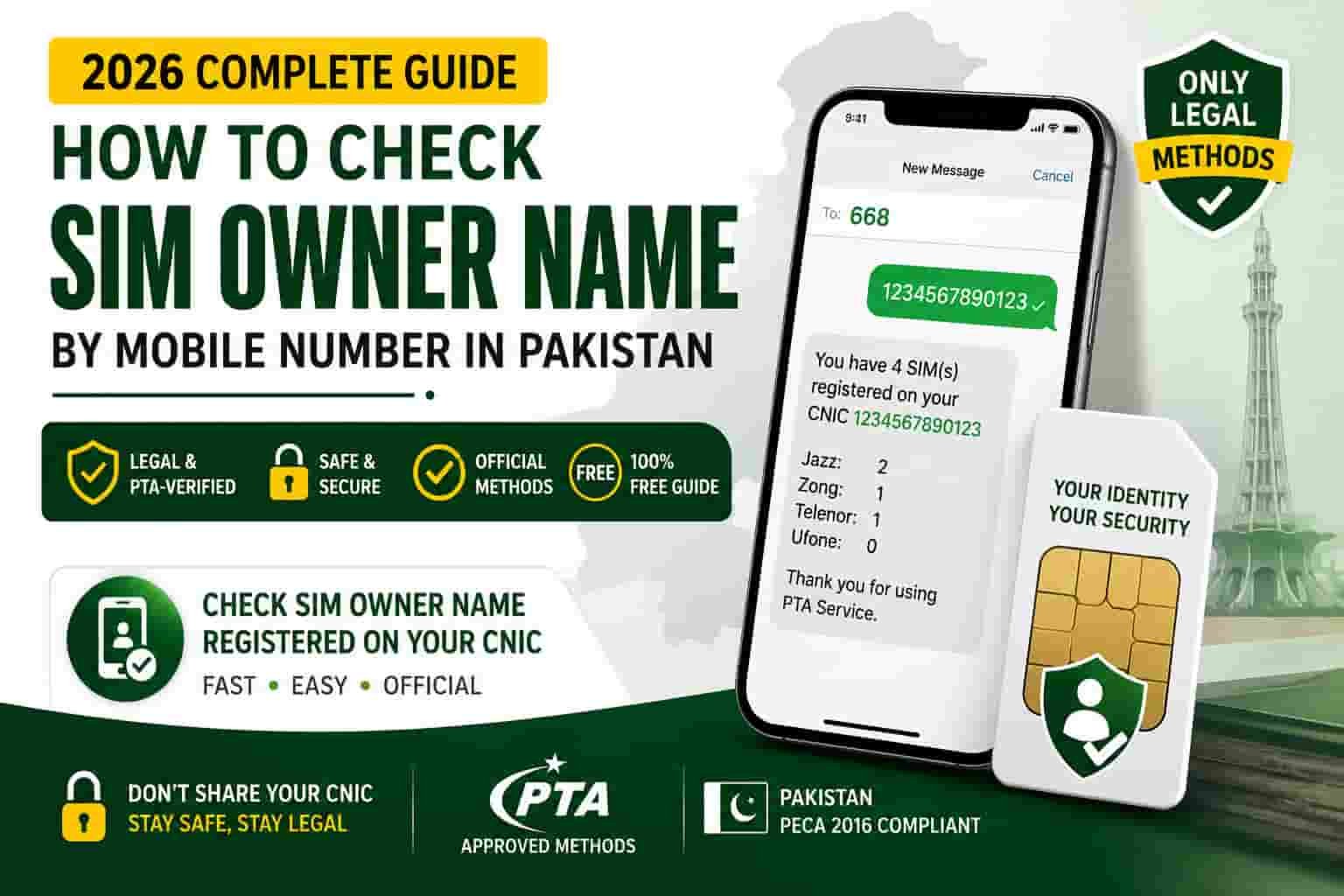
How to Check SIM Owner Name by Mobile Number in Pakistan (2026 Guide)
Got a strange call and want to know who it’s from? Or maybe you just want to see whose name sits on a SIM before you buy a used phone. Either way, you have landed in the right place.
Here is the short version. You can legally check the SIM owner name for your own CNIC or the SIM sitting in your own phone, using two official PTA channels. You cannot legally pull a stranger’s name from a random number. We know that is not what most “check SIM owner details” sites tell you, but it is the truth, and PTA’s own law backs it up.
In this guide, we will walk you through every real method, show you exactly what each one returns, and explain the legal line so you never accidentally cross it. Let’s get into it.
Table of Contents
- Quick Answer: What You Can and Cannot Check
- What Does “SIM Owner Name Check” Actually Mean?
- Is It Legal to Check Someone’s SIM Owner Name in Pakistan?
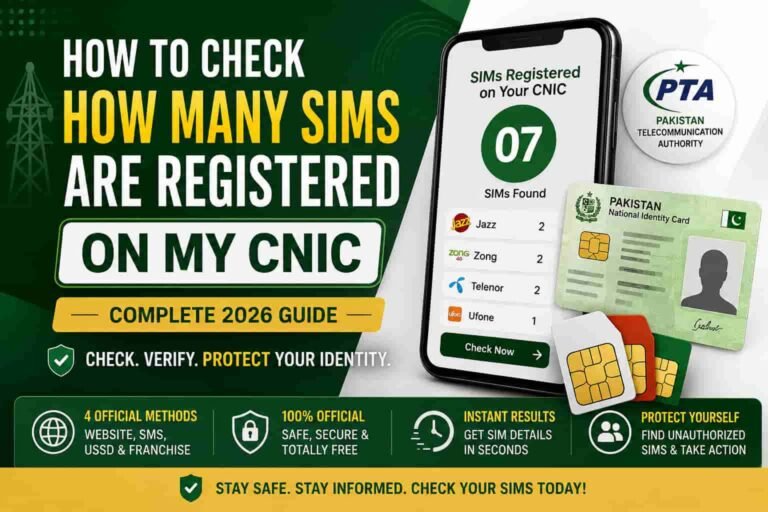
- Method 1: Check SIMs on Your Own CNIC (SMS to 668)
- Method 2: cnic.sims.pk Official Portal
- Method 3: Check the Name on Your Own SIM (MNP to 667)
- What Does NOT Work: USSD Codes, Apps, and “SIM Databases”
- Comparison Table: Every Method at a Glance
- What PTA Actually Stores About Every SIM Owner
- How Many SIMs Can Be Registered on One CNIC?
- Found an Unknown SIM on Your CNIC? Do This Next
- How Fraudsters Register SIMs Without Your Knowledge
- Frequently Asked Questions
- Sources
Quick Answer: What You Can and Cannot Check
Before we go deep, here is the plain truth in one table. Bookmark this if you read nothing else.
| You want to… | Can you do it legally? | How |
|---|---|---|
| See how many SIMs are on your own CNIC | Yes | SMS your CNIC to 668, or use cnic.sims.pk |
| See the registered name on the SIM in your phone | Yes | Send “MNP” to 667 from that SIM |
| Find a stranger’s name from their phone number | No | No public tool does this legally in Pakistan |
| Verify a used phone’s SIM before buying it | Yes, if the seller hands you the SIM | Insert it and send MNP to 667 |
| Report an unknown SIM registered on your CNIC | Yes | Visit your operator’s franchise or file a PTA complaint |
That is the whole map. Now let’s unpack each piece so you know exactly what to do in your situation.
What Does “SIM Owner Name Check” Actually Mean?
Every SIM card in Pakistan is tied to a Computerized National Identity Card, or CNIC, through biometric verification. The moment you buy a SIM and place your thumbprint on the scanner, the Pakistan Telecommunication Authority’s Subscriber Verification Management System, known as SVMS, links that number to your identity forever.
So when someone searches for “SIM owner name check,” they usually mean one of three things. First, they want to confirm their own SIMs are clean and nothing unauthorized is registered under their name. Second, they just bought a used SIM or phone and want to confirm who it belongs to before they hand over cash. Third, they are getting bothered by an unknown caller and want to know who is behind the number.
The first two are completely legal and PTA has built tools for exactly that. The third one is where most people get into trouble, because Pakistani law treats another person’s name and CNIC as protected identity information. We will explain why in the next section.
Is It Legal to Check Someone’s SIM Owner Name in Pakistan?
This is the part almost every other guide skips, so let’s be direct about it.
Section 16 of the Prevention of Electronic Crimes Act, 2016 (PECA) makes it a criminal offense to obtain, sell, possess, transmit, or use another person’s identity information without authorization. A phone number’s registered name and CNIC count as identity information under this law. The penalty runs up to three years in prison, a fine of up to five million rupees, or both.
That single sentence is the whole test. You are authorized to check your own CNIC and your own SIM. Nobody is authorized to reach into a stranger’s identity record, no matter how good the reason sounds.
This is exactly why PTA never built a public search box where you type in any number and get a name back. Every legitimate PTA channel only answers for the identity that is asking, either through the CNIC you provide or the SIM physically inserted in your phone. If a website or app promises to show you a stranger’s SIM owner details just by typing their number, it is either faking the result, recycling old data-breach leaks, or quietly collecting the numbers you search for its own purposes.
If you are dealing with harassment, threats, or suspected fraud from an unknown number, do not try to “look them up” yourself. Report it to the National Cyber Crime Investigation Agency (NCCIA) through their helpline at 1799 or at complaint.nccia.gov.pk. That agency has the legal authority to request identity information from telecom operators, and you do not.
With the legal ground rules clear, let’s move on to what you can actually do, starting with the fastest official method.
Method 1: Check SIMs on Your Own CNIC (SMS to 668)
This is PTA’s flagship self-verification service, and it takes less than a minute.
- Open your messaging app on any phone, on any network.
- Type your 13-digit CNIC number without dashes or spaces.
- Send it as an SMS to 668.
- Wait for the reply. It usually arrives within 30 to 60 seconds.
- Read the message. It lists every SIM registered against your CNIC, broken down by network, for example Jazz, Zong, Ufone, Telenor, and SCOM.
This service works from any network and any phone, including basic feature phones with no internet connection. It is genuinely the easiest way for anyone, including elderly relatives who barely use a smartphone, to confirm their SIM count.
For a deeper walkthrough of this exact process, including what the reply message looks like and what to do if you get an error, check our dedicated 668 code guide.
Method 2: cnic.sims.pk Official Portal
If you prefer a browser over SMS, or if you are overseas and cannot send a local text, PTA’s web portal does the same job online.
- Open cnic.sims.pk in any browser, on your phone or computer.
- Enter your 13-digit CNIC number in the box provided. Foreign nationals can click the Foreign ID option instead.
- Complete the verification step shown on screen.
- Click Submit.
- The portal displays the total number of SIMs registered against your CNIC.
This method is especially useful for overseas Pakistanis who cannot easily send an SMS to a Pakistani short code from abroad. It is free, and it runs 24 hours a day. Read our full breakdown of this portal, including screenshots of what a clean result looks like, on our cnic.sims.pk guide.
Method 3: Check the Name on Your Own SIM (MNP to 667)
This is the closest thing Pakistan has to a legitimate “name check,” but it only works for the SIM you physically hold in your hand.
667 is part of PTA’s Mobile Number Portability system, the process that lets you switch networks while keeping your number. Before a port request goes through, the system shows you the record your current operator holds on file, so you can confirm it matches your identity.
- Insert the SIM you want to check into any phone.
- Open your messaging app.
- Type the word “MNP” in a new message.
- Send it to 667.
- You will receive a reply containing the registered name and a partially masked CNIC number.
This is genuinely handy in one common situation: buying a used phone or a used SIM. Ask the seller to let you send this SMS before you pay. If the name that comes back does not match the person selling it to you, that is your cue to walk away.
One important limit here. This code only ever answers for the card that sends the message. You cannot type someone else’s number into a form and get their name back through 667. It reads its own record, nothing else.
What Does NOT Work: USSD Codes, Apps, and “SIM Databases”
A lot of low-quality websites list ten, fifteen, even twenty “methods” to check a SIM owner’s name. Almost all of them are recycled myths. Let’s clear a few up.
Operator USSD codes do not reveal ownership. Codes like Jazz’s *99#, Zong’s *310#, Telenor’s *345#, and Ufone’s *333# only open your own account menu, showing your balance, your own number, or your package details. They were never designed to expose anyone’s identity, and they never have.
Telecom apps do not show ownership either. Apps like Simosa (Jazz), My Zong, My Telenor, and the Ufone app only manage your own account, your bundles, and your bill. None of them include a search feature for another person’s SIM record, because that data lives inside PTA’s SVMS, not inside a telecom operator’s customer app.
Paid “SIM database” services are illegal to use. Some pages online offer to sell you “fresh SIM data” for a few hundred rupees, claiming they can pull a name and address from any number. These operations either fabricate results, recycle old leaked data, or collect the numbers you search to sell in the next breach. PTA has already taken action against more than a hundred such platforms. Paying for this service does not just waste your money, it can make you a party to a PECA violation.
We tested every one of these claims ourselves. You can see the full breakdown, including exact USSD replies we received, on our USSD codes and SIM owner details page.
Comparison Table: Every Method at a Glance
| Method | What it shows | Cost | Works for |
|---|---|---|---|
| SMS to 668 | Count of SIMs per network on your CNIC | About Rs. 2 plus tax | Your own CNIC only |
| cnic.sims.pk | Same SIM count, shown online | Free | Your own CNIC only |
| MNP to 667 | Registered name and masked CNIC | Standard SMS rate | The SIM in your own hand |
| Operator USSD codes | Your own account balance and packages | Free | Your own account only, no ownership data |
| Telecom apps (Simosa, My Zong, etc.) | Your own balance and offers | Free | Your own account only |
| Paid “SIM database” sites | Claims to show anyone’s data | Money, and legal risk | Nobody legitimately |
What PTA Actually Stores About Every SIM Owner
Whenever a SIM gets activated anywhere in Pakistan, SVMS records six specific data points against that connection.
- Registered name, exactly as it appears on the owner’s CNIC, pulled from NADRA’s database.
- CNIC number, the 13-digit identity number the SIM is linked to.
- Network operator, meaning which company issued the SIM, such as Jazz, Zong, Telenor, Ufone, or SCOM.
- Registration or activation date, marking exactly when the SIM went live.
- Biometric verification status, showing whether the fingerprint match with NADRA succeeded.
- Current SIM status, whether it is active, suspended, or blocked.
None of these fields are searchable by the public using just a phone number. They only surface through the CNIC-based channels we covered above, and only for the identity that is asking.
How Many SIMs Can Be Registered on One CNIC?
PTA’s long-standing rule caps individuals at five SIM connections registered against a single CNIC, counted across every operator combined, not five per network. This limit exists specifically to make bulk illegal SIM issuance harder to pull off.
If you are close to that limit or unsure how many you currently have, run the 668 check today. It takes thirty seconds and tells you exactly where you stand. If you spot SIMs you do not recognize, move straight to the next section.
Found an Unknown SIM on Your CNIC? Do This Next
Here is exactly what to do if your 668 or cnic.sims.pk check turns up a number you never registered.
- Note the operator and the number from the reply message or portal result.
- Visit that operator’s nearest franchise with your original CNIC in hand.
- Ask for SIM disowning or removal of the unrecognized connection. The agent will run a fresh biometric check to confirm you are the real CNIC holder.
- File a formal complaint with PTA if the franchise cannot resolve it on the spot, through the PTA Complaint Management System or the toll-free number 0800-55055.
- Report identity misuse to NADRA if you suspect your CNIC copy was leaked or misused, through their customer support channels.
- Recheck cnic.sims.pk after a few days to confirm the unauthorized SIM has actually dropped off your record.
We have a full step-by-step walkthrough of this entire process, including what to say at the franchise counter and how long removal usually takes, in our guide on what to do right after you check SIM owner details.
How Fraudsters Register SIMs Without Your Knowledge
Understanding how this happens makes it much easier to prevent. PTA’s own biometric verification page flags an important pattern: nearly 85 percent of SIMs used in fraud cases belong to female CNIC holders, largely because women’s identity documents get shared more casually for household errands, school admissions, or informal loan applications.
Three tricks show up again and again.
The “free SIM” doorstep scam. Someone shows up offering a free SIM with unlimited calls and data. In reality, they are registering that connection, and often a few extra ones, against your CNIC without telling you.
Fake government scheme collection. Agents claiming to represent income support programs collect your CNIC photo, then use it later to activate SIMs or open mobile wallet accounts you never approved.
The corrupt franchise trick. A dishonest sales agent tells you your fingerprint failed, asks you to try again, and quietly activates a second or third SIM against your CNIC during the same visit.
The defense against all three is the same. Never hand over your CNIC or your fingerprint to anyone outside an authorized, MBVS-enabled franchise, and check your SIM count on 668 at least once a month.
Frequently Asked Questions
Can I check someone’s SIM owner name for free using their phone number?
No. No legal, public tool in Pakistan returns a stranger’s name from just their phone number. The only official checks work for your own CNIC or the SIM currently in your hand.
Is checking a SIM owner’s details illegal in Pakistan?
Checking your own CNIC or your own SIM is completely legal and free. Checking someone else’s identity without their consent violates Section 16 of PECA 2016, which carries up to three years in prison and a fine of up to five million rupees.
What is the fastest way to check how many SIMs are on my CNIC?
Send your 13-digit CNIC without dashes to 668. You will get a reply listing every registered SIM by network within about a minute.
Does MNP to 667 show the SIM owner’s full CNIC?
No. It shows the registered name along with a masked CNIC, with only a few digits visible. This protects the full identity while still letting you confirm the record is genuine.
Can police or law enforcement find a SIM owner’s identity from just a number?
Yes, but only through a formal, authorized investigation process with telecom operators and PTA. Private citizens do not have this authority under Pakistani law.
What should I do if I keep getting harassing calls from an unknown number?
Do not try to look up the caller yourself. Save the call logs and any messages as evidence, then report the harassment to the NCCIA helpline at 1799 or through complaint.nccia.gov.pk.
How many SIMs can be registered against one CNIC in Pakistan?
PTA’s standing limit is five SIM connections per CNIC, combined across all networks.
Are the SIM owner details apps on the Play Store safe to use?
Most are not. These apps typically run on unverified third-party data, show outdated information, and exist mainly to generate ad revenue rather than provide accurate results.
Sources
This guide draws directly from official Pakistani regulatory bodies and primary legal texts, including:
- National Cyber Crime Investigation Agency (NCCIA), successor to the FIA Cybercrime Wing
- PTA’s Mobile Number Portability (MNP) porting guidelines
This article is reviewed and updated periodically to reflect the latest PTA policies. Last updated August 2026.