Jazz SIM Data Check: Owner Name, Package, and Balance (2026 Guide)
Every method to verify your Jazz SIM — owner name, active packages, balance, internet data, minutes, and SMS — in one place. Free USSD codes, Simosa app, SMS shortcuts, and PTA portal.
Quick-Reference Codes
What Is a Jazz SIM Data Check?
A Jazz SIM data check means verifying three key things about your Jazz number: who the SIM is registered to (owner name), which package is active, and how much balance is left.
Most Jazz users treat these as three separate tasks. But they are all part of one routine check you should do regularly.
Here is why this matters:
- Avoid surprise deductions
You catch unknown subscriptions before they drain your balance.
- Confirm SIM registration
You verify your SIM is still registered in your name via NADRA.
- Know when to recharge
You see exactly when your balance or bundle is running low.
Pakistan Telecommunication Authority (PTA) and Jazz (officially Pakistan Mobile Communications Limited, or PMCL) together maintain every SIM’s registration data through NADRA’s Subscriber Verification Management System (SVMS). Your name, CNIC link, and biometric status are all stored there the moment you activate a SIM.
This guide covers every method — free USSD codes, the Simosa app, SMS shortcuts, and the official PTA portal — so you get a complete picture in one place.
Jazz SIM Owner Name Check: All Official Methods
This is the most sensitive part of the check. The owner name tied to a Jazz SIM comes from NADRA. You can only verify the SIM registered in your own phone or on your own CNIC. Checking another person’s SIM details without their consent is illegal under PECA 2016.
That said, here are the four officially approved methods.
Method 1: Send “MNP” to 667 (Fastest for Single SIM)
This is the quickest way to confirm who a specific SIM is registered to.
Open your SMS app.
Type MNP (in capital letters).
Send it to 667.
You will get an SMS reply within seconds. It shows the registered owner name and a partially masked CNIC (the last 4 digits are visible). It also shows your Jazz number and the SIM activation date.
A small SMS fee may apply, so keep at least a few paisas in your balance. This works specifically for the SIM physically in your phone. It does not show SIMs on your CNIC from other networks.
Method 2: Send Your CNIC to 6001 (Jazz-Specific Verification)
This method is for users who want to confirm how many Jazz SIMs are registered against their CNIC.
Open SMS.
Type your 13-digit CNIC without dashes.
Send it to 6001 from your Jazz number.
You will get a reply confirming biometric verification status and the SIMs linked to your CNIC on the Jazz network.
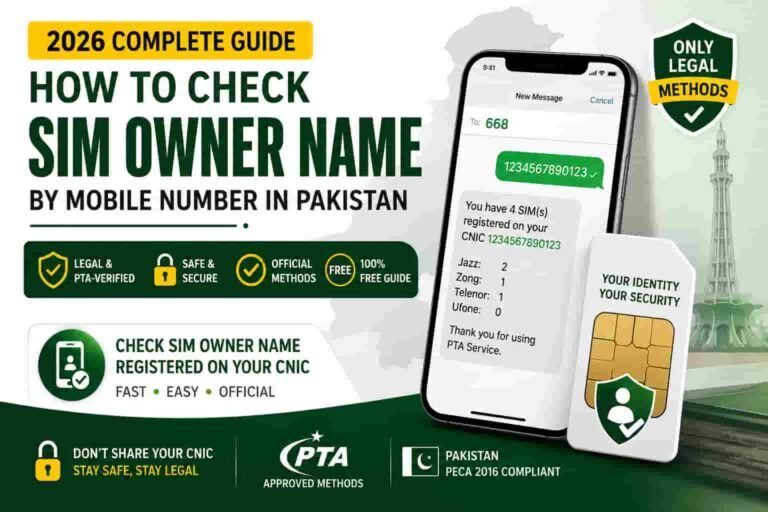
Method 3: Send Your CNIC to 668 (All Networks at Once)
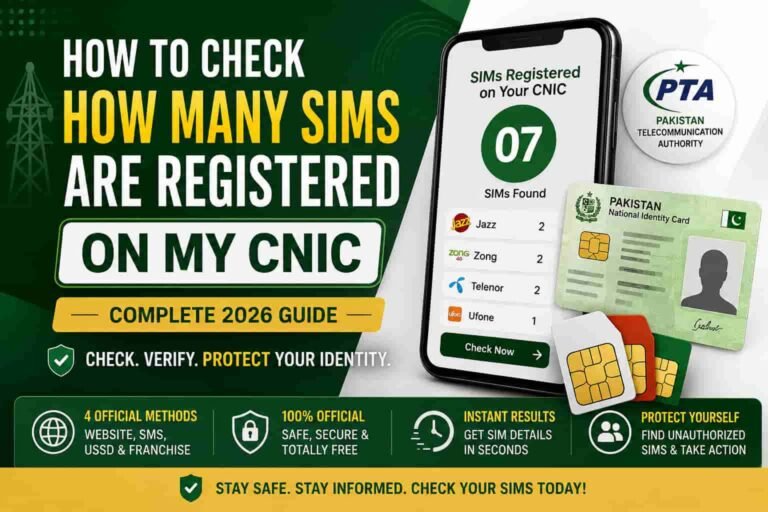
This is the PTA’s official, universal method. It shows all SIMs across Jazz, Zong, Telenor, Ufone, and SCO registered on your CNIC.
Open SMS.
Type your 13-digit CNIC without dashes.
Send it to 668 from any Pakistani SIM.
The reply arrives within 60 seconds and tells you the total SIM count and which network each number belongs to.
This is the single most important check you should do at least twice a month. PTA has confirmed that over 85% of Pakistanis have never done this check. For full details on this method, read our guide on the 668 code.
Method 4: Visit cnic.sims.pk (Online Portal)
The official PTA web portal lets you check SIM registrations online.
Go to cnic.sims.pk.
Enter your CNIC without dashes.
Complete the CAPTCHA.
Click Submit.
You get a printable table showing every SIM registered on your CNIC. This is the only method that produces documentation accepted by courts, police, and banks.
For a step-by-step breakdown of this portal, visit our dedicated guide at sim.net.pk.
Important: No USSD code — not *321#, not *99#, not anything — gives you SIM ownership details. Any website claiming that is spreading false information. USSD codes only show your balance, package info, or your own mobile number. We have tested and confirmed this. Read more on our USSD codes and SIM owner details page.
Jazz Package Check: How to See Your Active Bundle
Once you know your SIM is in your name, the next thing you want to check is your active package. Jazz lets you do this in seconds.
Check All Active Packages at Once
Dial *443# from your Jazz SIM.
This is your one-stop package status code. It shows all active bundles — data, minutes, and SMS — along with their expiry dates. No balance required in most cases, and no internet needed.
Check a Specific Package Status
If you subscribed to a particular Jazz bundle, add *2# to the end of the subscription code you used.
For example, if you subscribed using *1011#, then dial *1011*2# to check the remaining balance of that specific bundle.
Check via Menu
Dial *321# to open Jazz’s full offers and services menu. From there you can navigate to check existing packages.
Jazz Balance Check: Prepaid and Postpaid Codes
Prepaid Balance Check
Dial *111# from your Jazz prepaid SIM.
Your remaining main account balance pops up on screen within two seconds. The charge is approximately Rs. 0.12 to Rs. 0.25 plus tax per check. If your balance is exactly zero, the code may not run — in that case, use the Simosa app instead (more on that below).
An alternative code is *444*6*2#, which also shows your prepaid balance and opens a broader Jazz service menu.
Postpaid Balance and Bill Check
If you use a Jazz postpaid SIM:
Dial *2222# to see your remaining data, minutes, and SMS.
Dial *1111# to check your current bill and outstanding amount.
Both codes are free for postpaid users.
Jazz MB (Internet Data) Check Codes
Tracking your mobile data is probably the most common reason people do a Jazz SIM data check. Here are the methods that work right now in 2026.
Universal Data Check Code
Dial *117*1# to check your overall internet balance across all active data bundles.
This shows total remaining MBs or GBs and the expiry date of each bundle.
Package-Specific Data Check
If you have a specific data bundle active, use the status code for that bundle. The general format is:
[Your subscription code] + *2#
So if you activated a package via *1171#, check its remaining data by dialing *1171*2#.
Check via *110#
Dial *110# to see a combined summary of your remaining data and call minutes. Useful when you want both in one screen.
Jazz Minutes and SMS Balance Check
Check Remaining Call Minutes
Dial *110# from your Jazz SIM. The response shows:
Remaining on-net (Jazz to Jazz) minutes
Remaining off-net (other network) minutes
Expiry dates for each
Check Remaining SMS Balance
Most Jazz bundles include SMS. To check remaining SMS:
Use *443# which shows all resources including SMS.
Or open the Simosa app under My Account.
All Jazz SIM Check Codes in One Table
| What You Want to Check | Code / Method | Cost |
|---|---|---|
| SIM owner name (single SIM) | SMS “MNP” to 667 | Small SMS fee |
| SIMs on your CNIC (Jazz only) | SMS CNIC to 6001 | Free |
| All SIMs on your CNIC (all networks) | SMS CNIC to 668 | Free / standard SMS rate |
| All SIMs on CNIC (online, printable) | cnic.sims.pk | Free |
| All active packages | *443# | Free |
| Prepaid main balance | *111# | ~Rs. 0.12–0.25 + tax |
| Postpaid balance + usage | *2222# | Free |
| Postpaid bill check | *1111# | Free |
| Internet data balance | *117*1# | Free |
| Minutes and data combined | *110# | Free |
| Own mobile number | *99# | Free |
| Emergency advance check | *1143# | Free |
| JazzCash account | *786# | Free |
| Jazz helpline | 111 | Free from Jazz SIM |
How to Check Everything Using the Simosa App
Jazz rebranded the Jazz World app to Simosa. It is now the easiest, most complete way to do a full Jazz SIM data check without dialing a single code.
Here is what Simosa shows you the moment you log in:
Remaining main balance (prepaid) or current bill (postpaid)
Active packages with exact MBs, minutes, and SMS left
Expiry countdown for each bundle
Usage history graphs
Manage up to 5 Jazz numbers from one account
How to Set It Up
Open Google Play Store (Android) or Apple App Store (iPhone).
Search “Simosa” and install the official app.
Open it and enter your Jazz number.
Enter the OTP sent to your number.
Your dashboard loads — everything is right there.
Simosa is completely free to use. You only need a small amount of active data to run it. The app also includes SIA, Jazz’s AI assistant, which lets you activate bundles, check balances, or submit complaints in plain Urdu, Roman Urdu, or English.
The big advantage of Simosa over USSD codes: it is free to check your balance inside the app, whereas *111# charges you a small fee every time. Over time, that adds up.
Jazz WhatsApp Self-Service: A Newer Option
Jazz runs an official WhatsApp bot that lets you check your balance and packages without dialing codes.
How to use it:
Save 0300-3008000 in your contacts as Jazz WhatsApp.
Open WhatsApp and send “Hi” to this number.
Follow the on-screen menu.
You can check balance, see active packages, recharge, and pay postpaid bills — all within the WhatsApp chat. This is especially useful when your network signal is too weak for a USSD code to go through.
What If a Jazz Code Is Not Working?
This happens sometimes. Here is what to try, in order.
- Make sure you have a small balance
Codes like *111# require at least a few paisas. If your balance is zero, they will not run.
- Remove any accidental spaces from the code
*111 # (with a space) will not work. It must be *111# with no gap.
- Restart your phone
Sometimes the issue is a stuck network session, not the code itself. A quick restart fixes it.
- Check your signal
USSD codes need at least one bar of signal. Try moving to an open area.
- Switch to the Simosa app
If codes are not working, open Simosa. It works over data and is less sensitive to signal issues.
- Use the Jazz WhatsApp bot
Send “Hi” to 0300-3008000 on WhatsApp and use the menu there.
- Call the helpline
Dial 111 from your Jazz SIM. A Jazz representative can check your balance, packages, and account status for you. The call is free.
- Visit a Jazz franchise
Bring your original CNIC. Any Jazz service centre can give you a full account summary on the spot.
Frequently Asked Questions
How do I check the owner name of a Jazz SIM?
Send “MNP” to 667 from the Jazz SIM. You will get the registered name and a masked CNIC number in reply within seconds.
Is there a single code to check everything on Jazz?
Not one code. Use *443# for packages, *111# for prepaid balance, and MNP to 667 for owner details. Or use the Simosa app, which shows everything in one dashboard.
How do I check my Jazz internet balance?
Dial *117*1# to see all active data bundles and remaining MBs.
Is the Jazz balance check code *111# free?
No. It charges approximately Rs. 0.12 to Rs. 0.25 plus tax. To avoid this fee, use the Simosa app — checking balance there is free.
Can I check Jazz SIM details of another person?
No. Under Pakistani law (PECA 2016) and PTA regulations, checking another person’s SIM owner details without their consent is illegal. Only check SIMs linked to your own CNIC.
How do I check if my Jazz SIM is biometrically verified?
Send your 13-digit CNIC (no dashes) to 6001 from your Jazz SIM. The reply confirms your biometric verification status.
What is the Jazz postpaid balance check code?
Dial *2222# to check remaining data, minutes, and SMS. Dial *1111# for your current bill.
How many SIMs can I register on one CNIC?
A maximum of 8 SIMs total across all networks (Jazz, Zong, Telenor, Ufone, SCO, ONIC) — 5 voice and 3 data-only. Jazz alone allows up to 5 SIMs per CNIC. This limit follows the Supreme Court of Pakistan’s 2024 ruling.
My old Warid number — does it work with Jazz check codes?
Yes. Jazz acquired Warid Telecom in 2017. All former Warid numbers (0320–0324) are now Jazz numbers. Every Jazz check code and verification method in this guide works for them.
How do I check if there are unknown SIMs on my CNIC?
Send your CNIC (no dashes) to 668 from any Pakistani SIM. You get a full list of all registered SIMs across every network. Do this at least twice a month. If you spot an unfamiliar number, visit the network’s nearest franchise with your CNIC and report it to PTA at complaint.pta.gov.pk. For a detailed action guide, see our page on what to do right after you check SIM owner details.
Protect Your Identity — Check Your CNIC Now
Over 85% of Pakistanis have never checked how many SIMs are on their CNIC. It takes 10 seconds. Send your CNIC to 668 right now.
Read the Full Guide on sim.net.pk →Sources
This post is based on verified, first-hand and official sources. We cross-checked every code and method before publishing.
- Pakistan Telecommunication Authority (PTA) — Official SIM information, 668 method, and CNIC verification guidance: pta.gov.pk
- Jazz / PMCL Official Website and FAQs — USSD codes, helpline numbers, Simosa app information: jazz.com.pk/faqs
- Simosa (Jazz World) App — Google Play Store listing, features, and user experience: play.google.com
- cnic.sims.pk — PTA’s official SIM Information System portal
- Sim.net.pk — Pakistan’s authoritative guide on SIM owner details and PTA-recommended methods: sim.net.pk
- NADRA — Subscriber Verification Management System (SVMS) data standards: nadra.gov.pk