How to Apply for a New CNIC or NICOP Online
Everything you need to get your CNIC or NICOP issued — whether you are in Pakistan or abroad. Documents, fees, PakID app steps, biometric process, tracking, and common mistakes that kill applications.
Quick Reference
Let me be straight with you. Most guides about CNIC and NICOP applications either give you a generic overview or bury the important details in walls of text. This one is different.
By the time you finish reading, you will know exactly what documents to gather, what the real fees are (including the fact that a first CNIC on Normal processing costs PKR 0), how the PakID app works, what happens at the biometric counter, and how to track your card after submission.
Whether you are a first-time applicant turning 18 in Pakistan, or an overseas Pakistani sitting in London or Dubai who needs a NICOP without visiting a consulate — this guide covers both of you completely.
Important deadline: NADRA has exempted the birth certificate requirement for first-time CNIC applicants until 31 December 2026. If you or someone in your family has never registered because they lack a birth certificate, this window closes soon. Act before it does.
1. CNIC vs NICOP — Which One Do You Need?
A lot of people confuse these two documents. So let me clear this up first, because applying for the wrong one wastes your time and money.
CNIC (Computerised National Identity Card) is issued by NADRA under Sections 9 and 10 of the NADRA Ordinance 2000. It is for Pakistani citizens who live inside Pakistan. It proves your identity and citizenship, and you use it for literally everything — opening a bank account, registering a SIM card, voting, buying property, applying for a passport, and accessing government welfare programs like BISP and Ehsaas.
NICOP (National Identity Card for Overseas Pakistanis) is issued under Section 12 of the NADRA Ordinance 2000. It is specifically for Pakistani citizens who live or work abroad — including dual nationals. The NICOP carries the same 13-digit identity number as a CNIC, so your identity record stays continuous. The biggest advantage? NICOP holders enter Pakistan visa-free, even when travelling on a foreign passport.
| Feature | CNIC | NICOP |
|---|---|---|
| Issued under | NADRA Ordinance 2000, Sec. 9–10 | NADRA Ordinance 2000, Sec. 12 |
| For | Pakistan residents | Overseas Pakistanis & dual nationals |
| Validity | 10 years | 10 years |
| Visa-free Pakistan entry | N/A (you live here) | Yes — no separate visa needed |
| 13-digit ID number | Yes | Same number, continuous record |
| Apply online | Partially (biometrics need NRC visit) | Fully online via id.nadra.gov.pk |
One more thing: if you hold a CNIC and later move abroad permanently, you should transition to a NICOP. Both documents can coexist during the transition period, but NICOP is the correct document for overseas residents.
2. Who Can Apply for a New CNIC
NADRA issues a new CNIC to all Pakistani citizens — whether inside or outside Pakistan — who meet these conditions:
- You have reached the age of 18 years
- You have not previously been registered with NADRA as an adult
- You are currently a holder of a Child Registration Certificate (CRC) or B-Form or Juvenile Card and need to upgrade
That last point matters. If you hold a B-Form, you do not start from scratch — you convert it to a CNIC at 18. That is an upgrade, not a fresh registration.
About the birth certificate: Normally, a verified birth certificate from a Union Council is required. However, NADRA has waived this requirement until 31 December 2026 — subject to providing the identity card numbers and biometric data of family members. After that date, the requirement reverts to mandatory. Do not wait.
4. CNIC Fee Structure 2026
This is the part most people get wrong. Read the first row of the table below carefully — your first CNIC on Normal processing is free.
Notice something interesting: the free card (New CNIC Normal) is delivered in 15 days, while the Smart NIC on Normal takes 31 days. So not only is the basic CNIC free — it also arrives faster. You only pay if you need the chip-based Smart card or want faster processing.
Payment at NADRA Registration Centres (NRCs) is accepted in cash. For online applications through the PakID portal or app, pay by credit or debit card. JazzCash and Easypaisa are also accepted through integrated payment gateways on the portal.
Watch out for this: If a NADRA counter agent quotes you a fee for a first CNIC on Normal processing, that is incorrect. NADRA’s published fee schedule shows PKR 0. You only pay for Smart NIC, speed tiers, or delivery.
5. How to Apply for CNIC Online — Step by Step
NADRA runs two channels for online CNIC applications: the Pak Identity web portal at id.nadra.gov.pk, and the PakID Mobile App available on Google Play Store and Apple App Store. Both reach the same system.
Before you go through the steps below, understand one key thing: for a first-time CNIC, the portal handles all your paperwork in advance — but you still need to physically visit a NADRA Registration Centre (NRC) for biometric capture. NADRA holds no fingerprints or photograph for you yet. The app shortens your visit; it does not replace it.
- Download the PakID app or open the web portal
Download PakID from Google Play Store or Apple App Store (search “Pak Identity”). Alternatively, visit id.nadra.gov.pk on your browser. Both work. The app is faster for biometric steps.
- Create your account
Tap “Register” and enter your Pakistani mobile number and email address. Verify your identity through the OTP sent to your number. Set a secure password. If you already have an account, simply log in.
- Select “New CNIC Application”
From the service menu on your dashboard, select the CNIC section and choose “New Application.” Do not select Renewal or Modification — those are for existing cardholders.
- Fill in your personal details
Enter your full name exactly as it appears on your B-Form or birth certificate. Add your father’s name, mother’s name, date of birth, permanent address, and the CNIC numbers of your parents or relatives as required. Spelling mistakes here cause delays — double-check everything.
- Capture your photograph
The PakID app uses ICAO-compliant live photo capture through your phone camera. Do not try to upload an old photo from your gallery — the system requires a real-time capture. Plain white or light background, full face visible, no glasses, neutral expression. Hats and head coverings are only allowed for religious reasons.
- Upload your documents
Scan and upload your B-Form or birth certificate, parent’s CNIC, matriculation certificate, and proof of address. Each document must be clearly legible. Blurry uploads are the second most common reason for application rejection. Photograph each document in good lighting on a flat surface.
- Select your processing speed and pay
Choose Normal (free for first CNIC), Urgent, or Executive depending on your timeline. Pay online via card if you used the portal, or via cash at the NRC during your visit. Save your payment receipt — you will need it.
- Book your NRC appointment
Select your nearest NADRA Registration Centre and book a biometric appointment through the portal or app. Bring your original documents on the day. The visit itself takes 15–30 minutes if you have pre-filled everything online.
- Attend biometric verification at the NRC
Your fingerprints and a live photograph are captured at the centre. A blood relative or parent provides biometric verification alongside you. You receive an acknowledgement slip with your 10-digit Tracking ID. Keep this safe.
- Track your application and receive your card
SMS your Tracking ID to 8400 or log in to id.nadra.gov.pk to check status. Delivery within Pakistan costs PKR 165 to your registered address, or you can collect from the NRC. Processing time starts from the date of biometric verification, not from online submission.
Is a SIM registered on your CNIC without your knowledge?
Once you have your CNIC, check how many SIM cards are registered against it. Unauthorized SIMs carry your legal liability. Our guide shows you exactly how to find and block them — free and in under an hour.
Check & Block Unauthorized SIMs6. Who Needs a NICOP
NICOP is not optional for Pakistanis settled abroad. Here is who qualifies and who needs one:
- Pakistani citizens living or working outside Pakistan
- Pakistani citizens holding dual nationality of a country recognised by the Government of Pakistan
- Persons born abroad to Pakistani parents who have established Pakistani citizenship
Countries with dual nationality arrangements with Pakistan
Pakistan recognises dual nationality with these countries: UK, USA, France, Italy, Australia, New Zealand, Canada, Belgium, Iceland, Sweden, Finland, Ireland, Netherlands, and Switzerland. Citizens of these countries with Pakistani origin are fully eligible for Smart NICOP.
What NICOP enables
| Benefit | Detail |
|---|---|
| Visa-free Pakistan entry | No separate visa needed — NICOP serves as your travel clearance |
| Property purchase | Required for registering property in Pakistan |
| Bank account opening | Required for accounts in Pakistani banks |
| Voting rights | NICOP holders are registered overseas voters |
| Business registration | Required for company or partnership registration in Pakistan |
| Succession & inheritance | NICOP is the primary ID used in NADRA’s succession process |
| NADRA services (FRC, etc.) | Family Registration Certificate and other documents require valid NICOP |
7. Documents Required for NICOP
If you were born in Pakistan
- Valid or expired Pakistani passport
- Foreign passport, permanent residency card, or valid work/study permit
- Birth certificate issued by Union Council (if available)
- Parents’ CNIC or NICOP — marital status must be updated; if parents’ documents are unavailable, provide a sibling’s CNIC
- Matriculation Certificate or old MNIC (if you have it)
- If married: spouse’s CNIC or NICOP and your marriage certificate
- Proof of current overseas address — rent agreement, utility bill, or driver’s licence from the foreign country
If you were born abroad to Pakistani parents
- Valid foreign passport
- Birth Registration Certificate showing both parents’ names
- Parents’ CNIC or NICOP with updated marital status
- If married: spouse’s CNIC and marriage certificate
- Proof of current residence abroad
For NICOP Renewal only
- Previous NICOP (expired or still current)
- Valid foreign passport
For Lost NICOP
- Police loss report from the country where the card was lost
- Copy of the previous NICOP (if available)
- Valid passport
For applicants applying from abroad: NADRA’s official NICOP page states that verification of the application form by any valid ID holder applies for applicants applying from abroad. You do not need a blood relative to verify you — any NICOP-holding Pakistani can verify your form. This matters for people with no close family still in Pakistan.
8. NICOP Fee Structure 2026
NADRA divides countries into fee zones for NICOP. Your country of residence determines which zone — and therefore which fee — applies to you.
Zone A — USA, UK, Europe, Australia, New Zealand, Canada
| Processing Speed | Fee | Processing Time |
|---|---|---|
| Normal | USD 12 | 30 working days |
| Urgent | USD 18 | 15 working days |
| Executive | USD 24 | 7 working days |
UAE Residents
| Processing Speed | Fee | Processing Time |
|---|---|---|
| Normal | AED 75 | 30 working days |
| Urgent | AED 110 | 15 working days |
| Executive | AED 150 | 7 working days |
Within Pakistan (visiting applicants)
| Processing Speed | Fee (PKR) | Processing Time |
|---|---|---|
| Normal | PKR 5,563 | 30 working days |
| Urgent | PKR 8,344 | 15 working days |
| Executive | PKR 11,126 | 7 working days |
For Saudi Arabia, Gulf countries outside UAE, and other zones, confirm the current fee at id.nadra.gov.pk at the time of your application, as amounts are updated periodically. Processing time starts from the date of successful submission — not from payment.
9. How to Apply for NICOP Online — Step by Step
The good news for overseas Pakistanis: NADRA has made the entire NICOP application process available online. Most Pakistani missions no longer accept NICOP applications at their counters. The official and preferred route is id.nadra.gov.pk or the PakID Mobile App.
- Register on Pak Identity
Visit id.nadra.gov.pk or download the PakID app. Click “Register” if you are new. Enter your 13-digit CNIC or existing NICOP number plus your mobile number. Verify via OTP and set a password.
- Select your NICOP category
Log in and choose the relevant category: “New NICOP” for first-time applicants, “Renewal” for existing NICOP holders, or “Modification” for changes to existing data such as marital status, address, or name update.
- Fill in your application form
Enter all personal details accurately — full name as per your passport, father’s name, mother’s name, date of birth, overseas address, permanent Pakistan address, parents’ CNIC or NICOP numbers, marital status, and if married, your spouse’s ID details. Every field matters.
- Capture your ICAO photograph
Use the portal’s built-in photo capture tool — either on a smartphone camera or a webcam. Plain white or light background, no glasses, full face visible, neutral expression. Religious head coverings are permitted. Do not upload an existing photo from your gallery; the system requires live capture.
- Complete fingerprint biometrics via the app
The PakID Mobile App captures fingerprints using your smartphone camera. If the standard fingerprint form is required (check the app’s prompts), download, complete, and upload it. Overseas users who genuinely cannot complete biometrics in person can use the app’s remote biometric feature.
- Add two witnesses
If you are applying from outside Pakistan, you must provide details of two independent witnesses — their full names, valid NICOP numbers, and contact numbers. Witnesses cannot be your spouse, parents, siblings, or children. Their physical presence is not required; you provide their details online and NADRA verifies them via OTP.
- Upload your documents
Upload clear scans of all required documents as prompted by the portal. Not all documents upload at once — the system requests them in stages. Every document must be clearly legible. A smartphone photo on a flat surface in good lighting is acceptable; blurry or dark images cause delays.
- Review and sign the declaration
Review all information carefully before signing the digital declaration. Incorrect data leads to rejection or delays. If you spot an error after submission, contact NADRA support immediately at their helpline +92 51 111 786 100 before the application is processed.
- Pay the fee
Pay using an international credit or debit card through the Pak Identity payment gateway. The correct fee is auto-calculated based on your country zone and chosen processing speed. Save your payment receipt.
- Submit and note your Tracking ID
Submit the application. NADRA transmits your data to headquarters in Islamabad instantly. You will receive a 10-digit Tracking ID — save it immediately. Use it to monitor your application through the app, the portal, or SMS to 8400 from within Pakistan.
NICOP via consulate: Some Pakistani missions — including certain consulates in the USA — maintain a NADRA Facilitation Desk where staff assist applicants in completing the online form, capturing photographs, and submitting biometrics. Check your nearest Pakistan mission’s website to confirm whether this service is available, as most have fully transitioned to the online-only model.
10. The Biometric Process Explained
Biometric verification is the step that trips up most first-time applicants. Here is exactly what happens so you are not surprised.
At the NADRA Registration Centre, an officer scans your fingerprints on a biometric device connected to NADRA’s national identity database. They also capture your photograph digitally. The system then matches your data against existing NADRA records.
For a first-time CNIC, a parent or blood relative must also provide their biometrics alongside you to verify your identity. If no blood relative is available, undertaking “B” with a biometric witness who holds a valid ID is the alternative.
For NICOP applicants using the PakID app from abroad, the app’s camera-based fingerprint scanning is the primary method. If scanning fails after three attempts, the system may offer facial recognition as an alternative. If that also fails, NADRA may require you to visit an NRC or Pakistani mission in person.
For persons with disabilities who cannot provide fingerprints or a signature, NADRA accepts a disability certificate from CRPD, PCRDP, the Social Welfare Department in AJK or Gilgit-Baltistan, or a recognised foreign institute. This is documented in NADRA’s own FAQ.
Dry skin tip: If your fingertips are dry, your scans may fail repeatedly. Gently moisturise your hands before your NRC visit. The officer may also dampen your fingers slightly. Do not apply heavy cream — clean, lightly moisturised skin scans best.
11. How to Track Your Application
After submission, NADRA gives you a 10-digit Tracking ID on your receipt. This is different from your 13-digit CNIC number. Keep it safe — it is your only reference until you receive your card.
Three official tracking methods
| Method | How | Best For |
|---|---|---|
| SMS to 8400 | Text your 10-digit Tracking ID to 8400 from any Pakistan mobile network | Fastest check; no internet needed; works on Jazz, Telenor, Zong, Ufone |
| PakID Portal | Log in to id.nadra.gov.pk, open your application dashboard | Most detailed status view; shows each processing stage |
| PakID App | Under “My Applications,” select your Tracking ID | Real-time updates; best for overseas applicants without Pakistan SIM |
Overseas Pakistanis who do not have a Pakistani mobile number should use the PakID portal or app exclusively — SMS to 8400 only works from within Pakistan.
What the status stages mean
- Application Received: Your submission is logged. Initial confirmation.
- Under Process: NADRA is verifying your data against national records.
- Printing: Your card is being printed. Positive sign — no issues found.
- Dispatched: The card has left the printing facility toward delivery or your NRC for collection.
- Delivered: Card has reached its destination — your address or the NRC counter.
- Deferred: A discrepancy was found, or more verification is needed. Contact NADRA helpline at 1777 (Pakistan) or +92 51 111 786 100 (overseas) immediately.
Note: NADRA removed the public standalone tracking page when it relaunched its website in 2026. If any guide directs you to a separate tracking URL on nadra.gov.pk, it is outdated. Use the methods in the table above — they are the three official channels as of August 2026.
12. Special Cases & Difficult Situations
A lot of people believe they cannot get a CNIC because of unusual circumstances. In most cases, they are wrong. NADRA has published official answers for each of these situations:
| Situation | NADRA’s Official Route |
|---|---|
| Both parents deceased, no NADRA record exists | Identity established through any registered sibling. If none, through biometric witness of two individuals — preferably immediate relatives — subject to field verification |
| No blood relative at all | Biometric witness by any ID holder with undertaking “B” on NADRA’s prescribed format |
| Currently in prison | Special mobile registration units visit prisons subject to authorisation from the prison authority |
| Physical or mental disability — cannot provide biometrics or signature | Accepted with a disability certificate from CRPD, PCRDP, Social Welfare Department in AJK or GB, or a recognised foreign institute |
| Remote area — cannot travel to NRC | NADRA Mobile Registration Vans. You can request NADRA to schedule a van visit to your area |
| Born abroad, never registered in Pakistan | Pakistani citizenship must first be established through nationality documentation of parents or grandparents |
| Guardian instead of parent listed | Not permitted — NADRA requires biological parents to be recorded even where adoption or guardianship is legally recognised by a court |
| No photograph possible | Not an option — a photograph is mandatory. NADRA will not issue a card without one under any circumstances |
13. Common Mistakes That Delay Applications
These mistakes appear again and again in CNIC and NICOP applications. Avoid every one of them.
For CNIC applicants
- Paying for a first CNIC on Normal processing. This is PKR 0. You pay only for Smart NIC, speed, or delivery.
- Missing the birth certificate exemption deadline. The waiver ends 31 December 2026. Treat the date as real.
- Assuming no family means no CNIC. Undertaking “B,” a registered sibling, or two biometric witnesses all exist as valid routes.
- Uploading blurry documents. Poor image quality is a leading cause of rejection. Photograph documents in good natural light on a clean surface.
- Expecting to finish entirely via the app. A first registration needs your biometrics captured in person — the app prepares you for the visit, it does not replace it.
- Listing a guardian as parent. NADRA requires biological parents. A court-approved guardian does not substitute.
For NICOP applicants
- Uploading a photograph that does not meet ICAO standards. Use the portal’s live capture feature — never an old photo from your gallery. Non-compliant photos are the single most common reason for NICOP rejection.
- Using blood relatives as witnesses. Witnesses for NICOP applications must be independent NICOP holders — not your spouse, parents, siblings, or children.
- Submitting expired parent documents without noting marital status. Even an expired parent CNIC can be used, but the updated marital status must be reflected on it.
- Selecting the wrong fee zone. Your country of residence determines your zone. Overpaying or underpaying can delay processing.
- Not saving the Tracking ID immediately. Screenshot it as soon as the application confirms. If the portal crashes after you submit, recovering this number is difficult.
14. Your CNIC and SIM Cards — What You Must Know
This is directly relevant to why you are reading this on sim.net.pk. Your CNIC is not just an identity document — it is the anchor for every SIM card registered in your name in Pakistan.
Under PTA regulations, every mobile SIM in Pakistan must be biometrically registered against a valid CNIC. This means the moment your CNIC expires, your SIM cards face the risk of deactivation during PTA enforcement sweeps. And if your CNIC is fraudulently used to register SIMs without your knowledge, you carry legal liability for whatever those SIMs are used for.
Before you collect your new CNIC, check what SIMs are already registered on it. The fastest way is to check SIMs registered on your CNIC via the PTA portal or by sending your CNIC number to the 668 short code. Our guide covers the full process.
You should also know about the SIM owner details check by CNIC — a free lookup that shows who holds SIMs registered against any CNIC number in Pakistan. This is useful if you need to verify your own registrations or spot unauthorised ones.
Once you have your CNIC and have verified your SIM situation, you are fully set up in Pakistan’s digital identity system. For any SIM-related queries, the sim.net.pk homepage is your complete resource.
SIM limit rule: Each CNIC allows a maximum of 5 voice SIM cards and 3 data SIM cards. Exceeding either limit triggers automatic suspension of all SIMs on that CNIC — including your primary line. If you receive a PTA enforcement SMS about this, respond immediately and block any unauthorized SIMs without delay.
15. Frequently Asked Questions
How much does a new CNIC cost in 2026?
A new CNIC on Normal processing is PKR 0 — free. Urgent processing costs PKR 1,150 and Executive costs PKR 2,150. If you want a Smart NIC (chip-based), Normal processing costs PKR 750, Urgent is PKR 1,500, and Executive is PKR 2,500. Delivery within Pakistan adds PKR 165.
Can I apply for a CNIC without a birth certificate?
Until 31 December 2026, yes. NADRA has officially exempted the birth certificate requirement until that date, subject to providing the identity card numbers and biometric data of family members. After that date, a verified computerised birth certificate from a Union Council becomes mandatory again — unless NADRA formally extends the exemption.
Can I complete the entire CNIC application online without visiting NADRA?
Not for a first-time CNIC. The PakID portal and app allow you to fill your form, upload documents, and capture a photograph online — but NADRA must capture your biometrics (fingerprints and live photograph) at a Registration Centre, because it holds no existing biometric data for first-time applicants. For renewals and modifications, the process may be more flexible depending on your situation.
What is the difference between CNIC and NICOP?
CNIC is for Pakistani citizens residing in Pakistan. NICOP is for Pakistani citizens living abroad, including dual nationals. Both use the same 13-digit national identity number — your record is continuous. NICOP additionally grants visa-free entry into Pakistan when travelling on a foreign passport.
How do overseas Pakistanis apply for NICOP without visiting a consulate?
Through NADRA’s Pak Identity portal at id.nadra.gov.pk or via the PakID Mobile App. The entire application — including photograph capture, fingerprint biometrics via the app camera, witness verification via OTP, document upload, and fee payment — can be completed online. Most Pakistani missions have fully transitioned to this online-only model and no longer accept direct NICOP applications at their counters.
How long does CNIC or NICOP processing take?
For CNIC: Normal processing is 15 days (basic) or 31 days (Smart NIC); Urgent is 12–23 days; Executive is 6–9 days. For NICOP: Normal is 30 working days; Urgent is 15 working days; Executive is 7 working days. Processing time starts from the date of completed biometric verification (CNIC) or successful online submission (NICOP) — not from payment.
How do I track my CNIC or NICOP application?
Three methods: (1) SMS your 10-digit Tracking ID to 8400 from any Pakistani mobile network — quickest, no internet needed. (2) Log in to id.nadra.gov.pk and check your application dashboard for detailed status. (3) Open the PakID Mobile App and check “My Applications” — best for overseas users without a Pakistan SIM. The Tracking ID is printed on your receipt at the time of submission.
What happens if both my parents are deceased and there is no NADRA record?
NADRA establishes identity through any registered sibling. If there is no sibling either, NADRA uses the biometric witness of two individuals — preferably immediate relatives — subject to scrutiny and field verification. You are not at a dead end. Visit your nearest NADRA Registration Centre and explain your situation directly.
Can I get a CNIC if I cannot travel to a registration centre?
Yes. NADRA operates Mobile Registration Vans that travel to remote and underserved areas. You can request NADRA to schedule a van visit to your location by contacting the NADRA helpline at 1777 (Pakistan) or +92 51 111 786 100. This is a published official service, not an exception.
What should I do after receiving my CNIC?
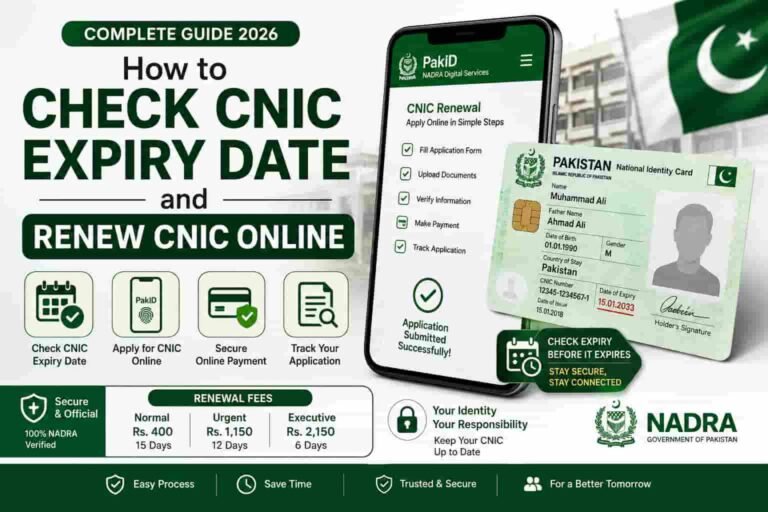
First, review all printed details carefully — name spelling, CNIC number, date of birth, and expiry date. Report any errors to the NADRA office immediately; corrections due to NADRA’s mistake are processed free of charge at Executive speed. Second, check how many SIM cards are registered on your CNIC using the 668 SMS code or the PTA portal at cnic.sims.pk. Third, update your CNIC details with your bank, employer, and telecom provider. Finally, keep your CNIC in a safe place and note the expiry date — it is valid for 10 years.
Can children get a CNIC or NICOP?
Children under 18 are issued a Child Registration Certificate (CRC), commonly called a B-Form, rather than a CNIC or NICOP. A B-Form converts to a CNIC at age 18 through the standard new CNIC application process. Overseas Pakistani children under 18 may be issued a Juvenile Card — the overseas equivalent.
Is the NICOP fee the same as the CNIC fee?
No. NICOP fees are significantly higher because the card functions as an internationally recognised identity document with consular service implications. For Zone A countries (USA, UK, Europe, Australia), the fee starts at USD 12 for Normal, USD 18 for Urgent, and USD 24 for Executive. For UAE residents it is AED 75, AED 110, and AED 150 respectively. These are higher than domestic CNIC fees but include delivery to your overseas address.
More CNIC & SIM Resources on sim.net.pk
Now that your CNIC or NICOP is sorted, check what SIMs are registered on it — and manage your entire Pakistan mobile identity in one place.
Visit sim.net.pk