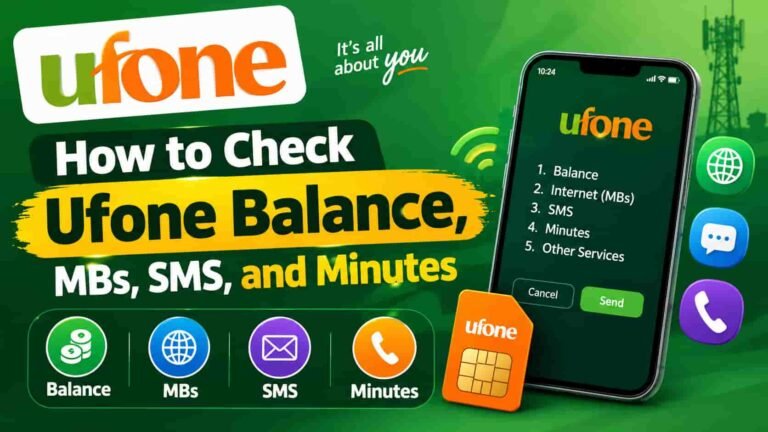
How to Check Ufone Balance, MBs, SMS, and Minutes
Whether you are about to make a call or your data suddenly stops working, the fix is always just one USSD code away. Here is every official way to check your Ufone balance, internet MBs, remaining minutes, and SMS — all in one place.
Quick-Reference Codes
1. Ufone Balance Check Code: Dial *124#
The primary Ufone balance check code is *124#. It works on every Ufone prepaid SIM across Pakistan — no internet, no app, no Wi-Fi needed.
Just open your phone’s dialer, type *124#, and press the call button. Within 2 to 5 seconds, Ufone sends you an SMS showing your current credit and its expiry date. That is it. Done.
Charge notice: Each inquiry via *124# deducts Rs. 0.12 + tax from your balance. If you want to avoid this charge, use *336# (free menu) or the My Ufone App instead.
Step-by-Step: How to Check Ufone Balance
- Open your dialer
Go to the phone app on your Android or feature phone and tap the dial pad.
- Type *124# and press Call
The code goes through the cellular network — no data connection is needed.
- Check the SMS notification
You get an SMS instantly showing your available balance in rupees and the exact expiry date.
You can also dial *129# as an alternate balance check code. Many Ufone users keep both codes saved in their contacts so they never have to remember them.
2. Free Balance Check — Zero Charges (*336#)
Here is the trick most people miss. If you dial *336#, Ufone shows you an interactive menu of self-service options — and balance inquiry is one of them. This method is completely free.
The menu-based approach is a bit slower than *124# because you need to select an option, but you save Rs. 0.12 every time. For someone checking multiple times a day, that adds up fast.
Tip: Dial *336# → select the Balance option from the on-screen menu → your remaining credit appears with no charge at all.
3. Check Ufone Balance by SMS (BAL to 6600)
Not a fan of USSD codes? No problem. You can check your balance by sending an SMS instead. Open your messages app, type BAL, and send it to 6600.
Ufone replies instantly with your current balance details. This method is especially useful when USSD codes are temporarily down due to network congestion or technical issues on Ufone’s end.
Keep in mind that standard SMS charges apply. However, as a backup method when *124# is not working, it is a reliable alternative you should know about.
4. Check Remaining Ufone MBs — Dial *706#
The official Ufone MB check code is *706#. Dial it and you instantly see how much internet data you have left in your active bundle.
This code works on 4G, 3G, and even older handsets. It covers daily packages, weekly packages, monthly packages, and the Ufone Super Card — all in one place. You do not need a separate code for each bundle type.
For 2G/3G phones: If you are on an older handset, dial *3# to check your remaining MBs. It works the same way.
Step-by-Step: Check Ufone Remaining MBs
- Open your dialer
No internet connection required. USSD runs entirely over the cellular signal.
- Dial *706# and press Call
The Ufone network processes your request in real time.
- Read the on-screen response
You see total bundle volume, consumed MBs, remaining MBs, and the package expiry date.
Check MBs via SMS
If *706# is not working for you, send an SMS with the text MB to 666. You will receive an automated reply with your remaining internet data and expiry date. Standard SMS charges may apply.
Watch out: After your bundle volume runs out, Ufone charges Rs. 2.50 per MB at a 512 Kbs pulse. Activate the Balance Saver service (see Section 8) to stop this from happening automatically.
5. How to Check Ufone Remaining Minutes
Good news — you do not need a separate code for minutes. The same *706# code that checks your MBs also shows your remaining call minutes. When you dial it, the response breaks down your on-net minutes (Ufone-to-Ufone), off-net minutes (other networks), and their individual expiry dates.
Alternatively, dial *124# and the balance SMS you receive often includes a summary of your active bundle resources, including remaining minutes.
What the Response Looks Like
| Resource | Type | Where It Shows |
|---|---|---|
| On-net minutes | Ufone-to-Ufone calls | *706# response |
| Off-net minutes | Jazz / Zong / Telenor calls | *706# response |
| Remaining call time | Bundle summary | My Ufone App |
If you want the most detailed breakdown — including expiry timestamps per resource — the My Ufone App is your best option. It shows everything in one clean dashboard.
6. How to Check Remaining SMS on Ufone
Same deal — dial *706# and your remaining SMS count appears alongside your MBs and minutes. Ufone bundles all three resources into one inquiry, which keeps things simple.
If you have subscribed to a standalone SMS bundle (separate from a Super Card or all-in-one offer), *706# still picks it up and shows you the remaining SMS with the validity period.
One code, three resources: *706# = remaining MBs + remaining minutes + remaining SMS. Save it to your contacts right now.
7. My Ufone App — The Best Free Method
If you are someone who checks their balance regularly, the My Ufone App (also called the UPTCL App) is the smartest option. It is completely free, requires no USSD codes, and shows you everything in a single dashboard.
Here is what the app shows you the moment you log in:
- Remaining balance in rupees
- Active packages and their expiry dates
- Remaining MBs, on-net minutes, off-net minutes, and SMS
- Real-time data usage history
- Low-balance and low-data push notifications
- Option to recharge and subscribe to packages directly
How to Use the My Ufone App
- Download the app
Find it on the Google Play Store (Android) or Apple App Store (iOS). Search “My Ufone” or “UPTCL App”.
- Register with your Ufone number
Enter your Ufone number and verify via the OTP sent to your SIM. You need an active internet connection for this step.
- Check your dashboard
Your balance, remaining MBs, minutes, and SMS all appear on the home screen. Tap any resource for a detailed breakdown.
Works even with zero balance: The app uses Wi-Fi to show your balance. So even if your mobile credit is at Rs. 0, you can still check everything using a Wi-Fi connection.
8. Ufone Balance Saver Code — *6611#
This one is for everyone who has ever woken up to find their balance mysteriously drained overnight. Background apps — WhatsApp syncing, Gmail updating, photos backing up — keep using your mobile data even after your bundle expires. And Ufone charges Rs. 2 to Rs. 6 per MB at default rates.
The fix is simple. Dial *6611# to activate the Ufone Balance Saver service. Once it is on, Ufone blocks all data usage the moment your bundle runs out. Your balance stays safe.
How to Activate Balance Saver
- Dial *6611#
No balance needed to activate this service. It is completely free.
- Press 1 to confirm
Follow the on-screen prompt and select the activation option.
- Wait for the confirmation SMS
Ufone sends you a message confirming the Balance Save service is now active. You only need to do this once — it stays active for life (no need to re-subscribe).
To deactivate it, dial *6611# again and choose the unsubscribe option.
Important: The Balance Saver service is available for both prepaid and postpaid Ufone SIMs. Activation is free and has lifetime validity — you never need to reactivate it.
9. Ufone Postpaid Balance Check
On a postpaid plan? The process is just as easy. Postpaid Ufone users can dial *124# or *706# to check their remaining bundle resources — including data, minutes, and SMS — at any time during their billing cycle.
For a full monthly bill breakdown, statement history, and usage analytics, the My Ufone App is the better tool. Log in with your postpaid number and you get access to your complete billing history, current cycle usage, and the option to pay your bill directly from the app.
You can also call 333 from your Ufone number (24/7 helpline) or reach support at 033-11-333-100 from any other phone to ask about your postpaid account.
10. Check Ufone Balance While Roaming
Travelling outside Pakistan? You can still check your Ufone balance. Dial *124# from your Ufone SIM while on international roaming and Ufone responds with your remaining credit.
All Ufone prepaid SIMs have international roaming activated by default. So there is no setup required — just dial the code and you are good to go. For postpaid users, roaming must be activated through a Ufone Customer Service Center or by calling 333.
Roaming charges apply: While the code itself works the same way, standard international roaming rates will apply to any calls or data usage while you are abroad. Check the official Ufone roaming page for current rates.
11. All Ufone USSD Codes — Complete Reference Table
Here is every important Ufone USSD code in one place. Save this page or bookmark it for quick access.
| What You Want to Check | Code to Dial | Charge |
|---|---|---|
| Main balance (credit) | *124# | Rs. 0.12 + tax |
| Balance via interactive menu (free) | *336# | Free |
| Balance via SMS | BAL → 6600 | Standard SMS rate |
| Remaining MBs (4G/5G) | *706# | Free |
| Remaining MBs (2G/3G phone) | *3# | Free |
| Remaining MBs via SMS | MB → 666 | Standard SMS rate |
| Remaining minutes & SMS | *706# | Free |
| Alternate balance check | *129# | Varies |
| Activate Balance Saver | *6611# | Free (lifetime) |
| Customer Care helpline | 333 | Small charge may apply |
| Customer Care (from other phones) | 033-11-333-100 | Standard call rate |
For the most accurate and up-to-date information, always refer to the official Ufone website or call 333 directly.
Need to Check Your SIM Owner Details?
Find out who is registered on your CNIC, check any SIM’s owner name, or see how many SIMs are active on your CNIC — all covered on sim.net.pk.
Check SIM Owner Name12. Pro Tips to Protect Your Ufone Balance
Checking your balance is one thing. Keeping it safe is another. Here are habits that every smart Ufone user should build.
Activate Balance Saver First
The very first thing you do after buying a new Ufone SIM or doing a big recharge — dial *6611# and turn on the Balance Saver. This one action can save you hundreds of rupees every month from background data draining your credit.
Check Before You Top Up
Always dial *124# before loading credit. Sometimes your balance is higher than you think (expired packages return unused balance in some cases). Knowing your actual credit before topping up helps you avoid over-spending.
Use the App for Daily Monitoring
USSD codes cost a small charge every time. The My Ufone App is free. If you check your balance more than once a day, switching to the app saves you money and gives you a richer view of your usage.
Monitor Expiry Dates
Bundles do not roll over when they expire — those unused MBs and minutes simply disappear. The *706# response always includes the expiry date. Make it a habit to check it when you subscribe to any package.
Use Wi-Fi for Heavy Data
Even with an active Ufone data bundle, switching to Wi-Fi for streaming and downloads extends your mobile MBs. Reserve your Ufone data for when you are out and about.
Contact 333 for Unexpected Deductions
If your balance drops unexpectedly and you cannot trace the reason, call 333 from your Ufone number. The Ufone customer care team operates 24/7 and can check your account history to identify unauthorized charges or accidental subscriptions. You can also email customercare@ufone.com.
Related Guides You Might Need
Managing your SIM is more than just checking balance. Here are other guides on sim.net.pk that Ufone users often look for:
13. Frequently Asked Questions
What is the Ufone balance check code?
The official Ufone balance check code is *124#. Dial it from your Ufone SIM and press Call. You will receive an SMS within seconds showing your current balance and expiry date. A charge of Rs. 0.12 + tax applies per inquiry. To check for free, use *336# instead.
How do I check my Ufone remaining MBs?
Dial *706# to check your remaining internet MBs on Ufone. This code works on all package types — daily, weekly, and monthly. For 2G/3G handsets, use *3# instead. You can also send an SMS with the text “MB” to 666 for the same information.
How can I check Ufone balance for free without any charges?
You can check your Ufone balance for free by dialing *336#. This opens a free interactive menu where you can select the balance inquiry option without any deduction. The My Ufone App (on Wi-Fi) is another completely free method that also shows your MBs, minutes, and SMS.
What is the Ufone balance check code if *124# is not working?
If *124# is not working, try these alternatives: dial *336# for the free menu, send an SMS with “BAL” to 6600, or check the My Ufone App. If none of these work, call the Ufone helpline at 333 or restart your phone and try again.
How do I check my Ufone remaining minutes?
Dial *706# to check your remaining Ufone minutes. The response shows both on-net (Ufone-to-Ufone) and off-net (other networks) minutes separately, along with their expiry dates. This is the same code used for MBs and SMS.
What does the Ufone Balance Saver code *6611# do?
Dialing *6611# activates the Ufone Balance Saver service. Once active, it prevents your main credit from being used when your data bundle expires. Background apps can no longer drain your balance. The service is completely free, works for both prepaid and postpaid users, and stays active for life with no need to resubscribe.
Can I check my Ufone balance without having any credit on the SIM?
Yes. The *706# code for checking MBs, minutes, and SMS does not require any balance — it is free. For checking your main balance via *124#, a small charge of Rs. 0.12 is deducted, so you do need at least that amount. The My Ufone App over Wi-Fi is your best option when you have zero balance.
How do I check my Ufone Super Card balance?
For the Ufone Super Card, dial *124# to see your remaining credit and *706# to check your bundled resources (MBs, minutes, and SMS). Both codes work for Super Card users just as they do for regular prepaid SIM users.
How do I contact Ufone customer care?
Call 333 from your Ufone number (available 24/7, 365 days a year). From a landline or other network, call 033-11-333-100. You can also email customercare@ufone.com or reach them via the official Ufone WhatsApp helpline. Visit ufone.com/support for franchise locations near you.
Sources & References
- Ufone Official Website — ufone.com
- Ufone Customer Support & Helpline — ufone.com/support
- Ufone FAQs — ufone.com/faqs
- Ufone — Pakistan Telecommunication Company (Wikipedia)
- Pakistan Telecommunication Authority (PTA) — pta.gov.pk
- Ufone SIM Data Check — sim.net.pk
Explore More on sim.net.pk
Check SIM owner names, find SIMs registered on your CNIC, block unauthorized SIMs, and more — all on Pakistan’s trusted SIM guide.
Go to sim.net.pk