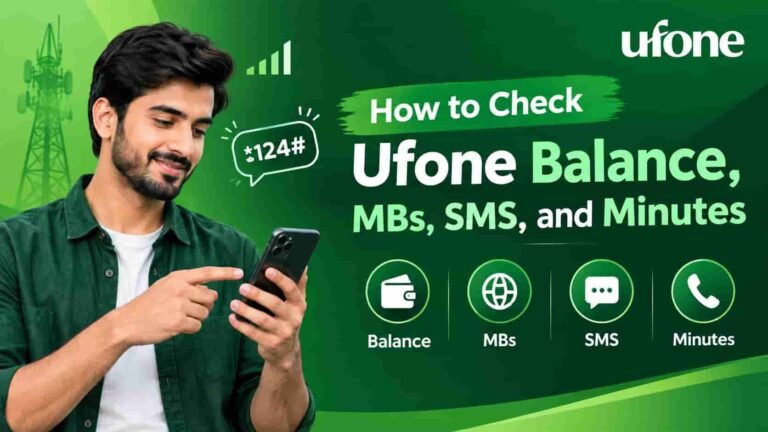
How to Check Ufone Balance, MBs, SMS, and Minutes
All working Ufone USSD codes, how to use the My Ufone App, advance balance, balance protection, and what to do when codes do not work — everything in one place.
Are you about to make a call, send a message, or use mobile data and want to know how much balance or data is left on your Ufone SIM? You will find the answer here.
Below, you will find the Ufone USSD codes covered for 2026, how to use the free app, how to get emergency balance when your balance is zero, and how to protect your balance from unexpected deductions.
Works on Ufone prepaid packages: These codes are intended for Ufone prepaid plans. Postpaid users have a different method — see Section 10.
1 Main Balance Check — *124#
This is the code every Ufone user should know. Dial *124# and press the call button. Your remaining balance will appear on the screen within seconds.
- Open your phone dialer
Open the normal screen you use to make a phone call.
- Enter *124# and press Call
Do not press Message or Send. Press the call or dial button. The USSD service responds immediately, and no actual phone call is made.
- Read the pop-up
A small pop-up appears on the screen showing your remaining balance in PKR. It may disappear after a few seconds, so take a screenshot or note the amount.
| Detail | Info |
|---|---|
| Code | *124# |
| For | All Ufone prepaid SIMs |
| Charge per check | Free (or a small charge — confirm by calling 333) |
| Availability | 24 ghante, hafte ke saatoon din |
| Shows | Main cash balance in PKR |
Note: *124# sirf aapka main cash balance shows. MBs, minutes ya SMS bundle is in nahi hota. In for neeche ke codes use do.
Alternative — Call 333
Dial 333 from your Ufone SIM and follow the automated menu. The system can provide your balance details. This is useful if the USSD pop-up is not working properly.
2 Internet MBs Check — *706#
If you have a data bundle and want to know how many MBs are left, dial *706#. This is the Ufone data-check code covered in this 2026 guide.
After dialing, a pop-up shows your remaining data, including bonus MBs. The bundle expiry date may also appear. The guide states that it works on Ufone 3G, 4G, and 5G connections.
| Detail | Info |
|---|---|
| Code | *706# |
| Shows | Remaining MBs + bundle expiry date |
| Kaam karta hai | Ufone prepaid SIMs on 3G, 4G, and 5G |
| Bonus data bhi? | Yes — promotional MBs are included |
Pro tip: If *706# shows zero even though you just activated a bundle, wait 2–3 minutes and try again. The bundle information may take a little time to update.
3 Remaining Minutes — *711#
To check how many call minutes are left in your active bundle, dial *711#. The screen shows on-net and off-net minutes and the bundle expiry date.
This code is especially useful for daily or weekly call bundles because it helps you know when you may need to recharge.
| Detail | Info |
|---|---|
| Code | *711# |
| Shows | On-net minutes, off-net minutes, and expiry date |
| Kaam karta hai | All Ufone prepaid SIMs with an active call bundle |
4 Remaining SMS — *706#
To check how many SMS are left in your bundle, dial *706#. The same code can show your remaining SMS and package validity period.
| Detail | Info |
|---|---|
| Code | *706# |
| Shows | Remaining SMS + expiry in the active bundle |
| Kaam karta hai | All Ufone prepaid SIMs with an active SMS bundle |
No bundle active? If you do not have an SMS bundle, *706# may show zero or “no active bundle.” In that case, SMS charges are taken from your main balance at the applicable per-SMS rate.
5 All Ufone USSD Codes — 2026
Here is a quick reference to the important Ufone USSD codes covered for 2026. Save this page or take a screenshot of the table.
| Service | Code | Charge | Prepaid / Postpaid |
|---|---|---|---|
| Main balance check | *124# | Free | Prepaid only |
| Internet MBs check | *706# | Free | Prepaid only |
| Remaining minutes | *711# | Free | Prepaid only |
| Remaining SMS | *706# | Free | Prepaid only |
| Advance / emergency loan | *112# | Service fee applies on the next recharge | Prepaid only |
| Recharge (scratch card) | *123*PIN# | Free | Prepaid only |
| Apna number check | *780# | Free | Prepaid & Postpaid |
| Helpline / customer care | 333 | Free | Prepaid & Postpaid |
Zaroori baat: Ufone USSD codes can change. This guide says these codes were verified in September 2026. If a code gives an error, check the official Ufone website or call 333.
6 My Ufone App — The Easiest and Free Method
With the My Ufone App, you can check your balance, MBs, minutes, and SMS in one place for free. There is no USSD charge or per-check fee.
When you open the app, the home screen can show your cash balance, remaining data, call minutes, SMS, and expiry information. The app may also show bundle offers and deals.
- Download the My Ufone App
Search for “My Ufone” on the Google Play Store or Apple App Store and install it. The app is free and is the official Ufone app.
- Log in with your Ufone number
Enter your Ufone number. An OTP will be sent by SMS for verification. Enter the OTP to log in.
- Check the dashboard
The home screen shows your remaining balance, MBs, minutes, and SMS at a glance. You do not need to open seonate pages.
- Manage bundles from the app
Tap a tile to view bundle details, activate a package, or recharge your SIM. You can manage these options inside the app.
Has your data expired? The My Ufone App may still load on the Ufone network after a data bundle expires. The guide states that balance checking through the app does not use a USSD charge.
Want to know how many SIMs are registered on your CNIC?
In Pakistan, SIM registration is linked to your CNIC. You can use SMS code 668 to check SIMs registered on your CNIC.
Check SIMs on Your CNIC7 Advance Balance — *112#
Has your balance reached zero and do you need to make an urgent call? Dial *112#. The guide states that Ufone can add emergency credit to your account.
You do not need to pay immediately. The guide says the loan amount and service charge are automatically deducted from your next recharge, so no manual repayment is needed.
| Detail | Info |
|---|---|
| Code | *112# |
| Advance amount | Depending on eligibility (Rs. 10–Rs. 30) |
| Service charge | Automatically deducted from the next recharge |
| Repayment | Automatic — from the next top-up |
| Eligible SIMs | Ufone prepaid only — the SIM must have been active for some time |
| Shart | There must be no unpaid advance loan |
Use it carefully: The service fee may seem small, but repeated advances can add up. Use *112# only when needed and recharge as soon as possible.
8 Protect Your Balance from Silent Deductions
You may have seen this situation: you recharge Rs. 100, activate a data bundle, use it, and then notice that your cash balance is also decreasing. Apps such as WhatsApp, Facebook, TikTok, and automatic updates can continue using data after a bundle ends.
To avoid this, turn off mobile data when your bundle ends or use available app settings to manage your data. For Ufone’s Data Protect or similar features, call 333 and ask about balance protection or data cutoff after bundle expiry.
- Turn off Mobile Data when the bundle ends
When your bundle ends, go to Settings and turn off Mobile Data. This is a simple way to help protect your balance.
- Track your bundle with the My Ufone App
The app’s home screen can show bundle expiry information, helping you know when to recharge.
- Call 333 and ask about Balance Protection
Ask the Ufone customer care agent whether data can be stopped automatically when your bundle ends and whether this setting is available for your account.
If your balance is still decreasing: 333 on call do and detail in complaint do. Agent check karega ke koi hidden subscription ya value-added service toh active nahi jo balance kha rahi ho.
9 Ufone SIM Recharge
There are four ways to top up a Ufone prepaid SIM in this guide: scratch card, app, digital wallet, or retailer.
| Method | How to Do It | Best For |
|---|---|---|
| Scratch card | *123*PIN# dial it and enter the card’s PIN | Any phone — no internet needed |
| My Ufone App | Open the app, tap Recharge, enter the amount, and pay with JazzCash, Easypaisa, or a card | Smartphone users with internet |
| Easypaisa / JazzCash | App kholein, Mobile Top-Up select do, Ufone number and amount daalein | Users who already use these apps |
| Retailer Easy Load | Visit a Ufone franchise or Easy Load retailer and provide the number and amount | When online recharge is not possible |
Did you send Easy Load to the wrong number? Call 333 as soon as possible and ask about Load Reversal. Keep your transaction details ready. Acting quickly is better.
10 Postpaid Customers — How to Check Usage
USSD codes such as *124# and *706# are described here as prepaid codes. If you use a Ufone postpaid plan, use the methods below instead.
Postpaid customers can use any of these three methods:
- My Ufone App: Log in with your postpaid number. The app can show monthly usage, the current bill, data used, and remaining allowance.
- Ufone website: ufone.com Log in to the self-care portal on the Ufone website to view billing history, active subscriptions, and usage details.
- Helpline 333: Call 333. The automated system or a live agent can provide current usage and bill information.
Postpaid tip: Check your usage in the My Ufone App at least once a week. If your bill seems higher than expected, call 333 and ask about active paid subscriptions.
11 When Ufone Codes Do Not Work
Ufone USSD codes may sometimes fail to respond. Before assuming that a code is no longer working, try the steps below.
| Problem | Reason | Solution |
|---|---|---|
| No response after dialing | Network congestion or a USSD server issue | Wait 2–3 minutes and try again. Move to an area with a stronger signal if needed. |
| The code is dialing like a phone number | Dual-SIM phone — the wrong SIM is selected | Check your SIM settings and select the Ufone SIM as the default SIM for calls. |
| The pop-up appears but closes immediately | Some Android interfaces may close USSD pop-ups automatically | Check your notifications or messages for the response, or use the My Ufone App. |
| The code worked before but now shows an error | Ufone may have changed the code | Check the official Ufone website or call 333. |
| SIM is inactive or suspended | The SIM has not been used for a long time, or there is a postpaid payment issue | Call 333 or visit a Ufone franchise. |
| Balance decreased after checking | Background apps are using data after the bundle expired | Turn off mobile data. Call 333 and ask about balance protection. |
If none of these fixes works, call 333. The helpline is available 24/7, and the My Ufone App may also provide live chat.
Ufone Sim Lagao Offer: If your Ufone SIM has been inactive for a long time, check the Ufone Sim Lagao Offer for possible reactivation rewards such as free data and minutes. For eligibility, call 333 or visit ufone.com see.
12 Frequently Asked Questions (FAQ)
What is the Ufone balance check code in 2026?
The Ufone balance check code covered in this 2026 guide is *124#. Dial it from your Ufone prepaid SIM to see the remaining cash balance on the screen.
How can I check remaining MBs on Ufone?
Dial *706# to check remaining internet data. The response can show remaining bundle data and expiry information, including bonus MBs. You can also use the My Ufone App.
How can I check remaining minutes on Ufone?
Dial *711# to check on-net and off-net call minutes and bundle expiry information. The My Ufone App can also show remaining minutes.
How can I check remaining SMS on Ufone?
Dial *706# to check SMS along with data. If no SMS bundle is active, standard per-SMS charges may be taken from your main balance. The My Ufone App can also show remaining SMS.
How can I check all Ufone resources — balance, MBs, minutes, and SMS — for free?
Use the My Ufone App. It is available on the Google Play Store and Apple App Store. After logging in, the home screen can show balance, data, minutes, and SMS together with expiry information.
How can I get emergency advance balance on Ufone?
Dial *112# from your Ufone prepaid SIM. The guide states that emergency credit is added to the account, while the loan amount and service fee are deducted from the next recharge. The SIM must meet the eligibility requirements and have no pending loan.
Why does my Ufone balance keep decreasing?
This can happen when a data bundle ends while mobile data remains on. Background apps and automatic updates may continue using data and charges may come from the cash balance. Turn off Mobile Data when the bundle ends, or call 333 and ask about balance protection after bundle expiry.
Does *124# also work for Ufone postpaid users?
No. The guide states that *124# is for Ufone prepaid customers. Postpaid users should check usage and billing through the My Ufone App, the Ufone self-care portal, or 333.
What should I do if a Ufone USSD code is not working?
Wait 2–3 minutes and try again because the USSD service may be temporarily busy. On a dual-SIM phone, make sure the Ufone SIM is selected for calls. If it still fails, use the My Ufone App or call 333. If the code has changed, check the official Ufone website.
How can I check my Ufone number?
Dial *780# from your Ufone SIM to check your number. The My Ufone App may also show the registered number on the home screen. For checking SIM numbers across Pakistani networks, see our SIM number check guide see.
More Pakistan SIM Resources on sim.net.pk
Check SIM owner information, see SIMs registered on your CNIC, and comone USSD codes for different networks — all in one place.
Visit sim.net.pk